Open the official release
For Windows, the official XIVLauncher download is distributed through the Goatcorp FFXIVQuickLauncher GitHub releases. New users should look for the setup executable rather than update package files such as NuGet packages.
Independent guide to official XIVLauncher sources
Get the correct XIVLauncher download path for Windows, Steam Deck, and desktop Linux. This guide points you to the official GitHub release and official XIVLauncher help pages, then explains how to install the launcher, understand Dalamud, and avoid common setup mistakes.
Latest official GitHub release checked on July 30, 2026: version 7.0.20, published December 6, 2025. Always verify the release page before installing.
Official source workflow
The safest XIVLauncher download flow is simple: use the official release page, choose the Windows setup file if you are on Windows, and use the official Steam Deck or Linux guide if you are not on Windows. A download site should make that path clearer, not replace it with a mystery mirror.
For Windows, the official XIVLauncher download is distributed through the Goatcorp FFXIVQuickLauncher GitHub releases. New users should look for the setup executable rather than update package files such as NuGet packages.
Launch XIVLauncher-win-Setup.exe and let the installer create the Start Menu entry. After installation, XIVLauncher can start Final Fantasy XIV and manage its own launcher updates.
Some antivirus tools can flag XIVLauncher or Dalamud as a false positive. Do not ignore security warnings blindly. Compare the file source, check the official FAQ, and whitelist only when you trust the official download path.
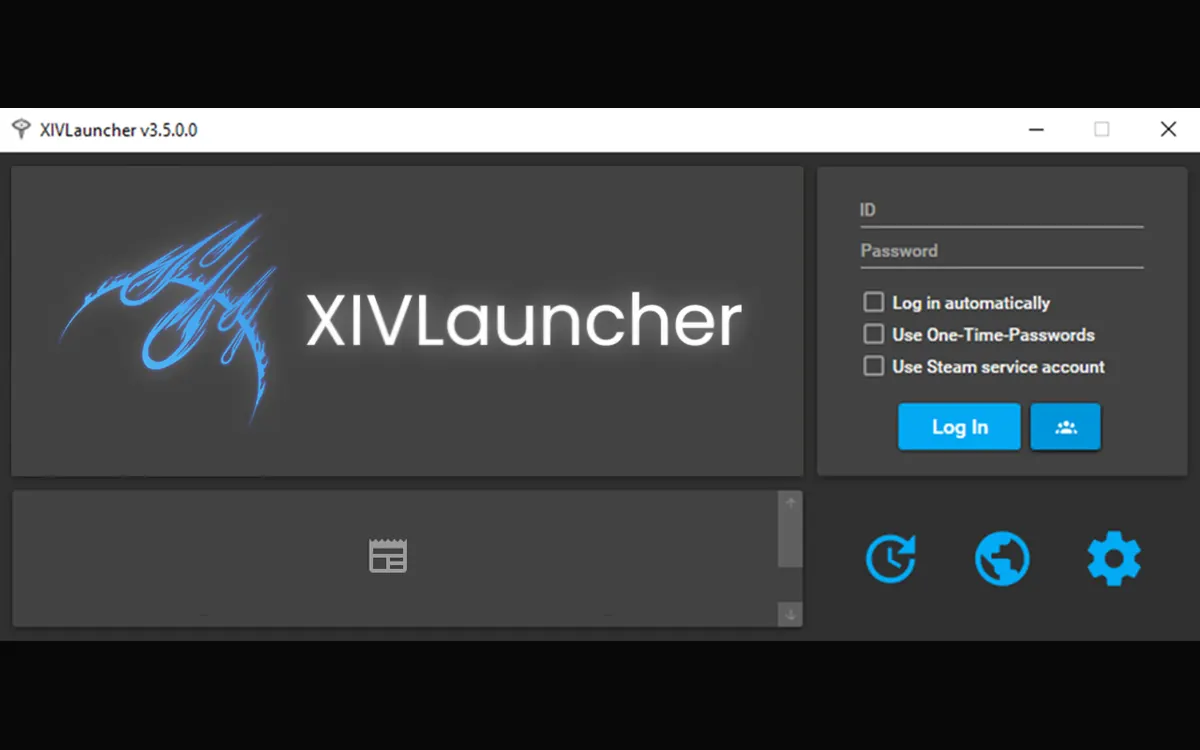
What it is
XIVLauncher, sometimes searched as XIV Launcher, FFXIV Launcher, FF14 Launcher, or FFXIVQuickLauncher, is a community launcher for Final Fantasy XIV. Players commonly look for it because they want faster login flow, account switching, patching help, Steam Deck setup guidance, or access to Dalamud plugins.
This site is built around download intent, but it does not claim affiliation with Square Enix, Goatcorp, XIVLauncher, Dalamud, or Final Fantasy XIV. The job of this page is to route users to official sources, explain what the download does, and help them decide whether XIVLauncher fits their setup.
Read the Dalamud explanationPlatform choices
Use the official GitHub release and download the setup executable. This is the clearest path for most searches such as xivlauncher download, xiv launcher download, and ffxiv launcher download.
Open Windows guideSteam Deck and desktop Linux users should follow the official Linux guide rather than the Windows installer. The process is different because it depends on the Linux version and game setup.
Open Steam Deck guideDalamud is the plugin framework associated with XIVLauncher. Plugin searches have strong demand, but users need clear boundaries around third-party code, game updates, and ToS risk.
Open plugin guideSafety and trust
Search results for launcher downloads often mix official pages, old mirrors, forum posts, file hosts, and thin pages that repeat the same keywords without proving where the installer came from. For software that can interact with a live online game, source clarity matters more than a flashy download button.
The correct approach is to keep the official source visible, name the exact file users should expect, and explain the checks a careful user should perform. When the official release changes, the version number, download labels, setup notes, and FAQ should change with it.
XIVLauncher is not the official Square Enix launcher and is not in line with the FFXIV Terms of Service. The official XIVLauncher FAQ says the project tries to keep use safe, but users should understand that third-party launchers and plugins can carry account and compatibility risk.
Common intents
| Search intent | Best page | What the page should answer |
|---|---|---|
| XIVLauncher download | Windows Download | Official source, latest version, setup file name, installation steps. |
| FFXIV launcher Steam Deck | Steam Deck Guide | Linux path, official guide, Steam library notes, compatibility caveats. |
| Dalamud launcher | Dalamud Explained | What Dalamud is, how it relates to XIVLauncher, plugin boundaries. |
| XIVLauncher not working | Troubleshooting | Antivirus false positives, patching issues, shortcuts, update problems. |
FAQ
No. xivlauncher.blog is an independent guide. The official XIVLauncher project pages are hosted by Goatcorp and the installer is distributed through the official GitHub release pages.
New Windows users should use XIVLauncher-win-Setup.exe from the official latest release. Files such as .nupkg, RELEASES, and JSON assets are normally update or release metadata, not the easiest installer for a first setup.
Yes, XIVLauncher has a Linux path used by Steam Deck and desktop Linux players. The Windows setup file is not the recommended route for Steam Deck; use the official Linux and Steam Deck instructions.
Use official sources, read the official troubleshooting FAQ, and avoid unknown mirrors. The project notes that antivirus false positives can happen, but users should still verify the source before whitelisting any launcher or plugin component.
Dalamud is the plugin framework associated with XIVLauncher. It allows community-created plugins to run in game, which is useful for many players but also introduces third-party code, update compatibility, and Terms of Service considerations.
Many players use XIVLauncher as an alternative launch path, but it remains a third-party launcher. Keep your Square Enix account security practices strong and understand that the official game launcher is still the only official launcher.